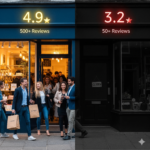
📉 Can one bad review cost you 25% in revenue?
This article is your comprehensive guide to understanding how to remove negative Google reviews, why it matters for your business, and who should care—specifically, business owners concerned about their online reputation. We’ll cover the impact of negative reviews on your revenue, the process for removing reviews that violate Google’s policies, and actionable strategies for protecting your brand in 2026’s digital landscape.
It takes exactly ten 5-star reviews to repair the mathematical and psychological damage caused by a single 1-star rating on Google, and how to remove negative Google reviews. I call this the “Rule of 10,” and in over a decade of helping small businesses at Business Solutions Marketing Group, I’ve seen it break even the most established companies.
Brand reputation is heavily influenced by what appears on review sites, and negative reviews on platforms like Google can have a disproportionate impact on a business’s public image.
Think about that for a second. You work tirelessly to provide a great service, yet one disgruntled person—or worse, a bot—can force you into a deficit that requires ten times the effort to fix. This challenge isn’t limited to Google; review sites in general play a major role in shaping consumer trust and decision-making. You aren’t just losing a “star.” You are losing the trust of every person who hasn’t met you yet.

The Math of Mistrust: Why 94% of People are Walking Away from Negative Reviews
The digital landscape of 2026 is ruthless. According to data from ReviewTrackers, 94% of consumers say a negative online review has convinced them to avoid a business entirely. Most customers read online reviews before choosing a business, often starting with Google.
When a potential lead sees that red bar or a scathing comment, their brain triggers a “risk” response. They don’t know you. They don’t know your staff. All they know is the digital warning sign flashing on their screen. This “Trust Gap” is widening because we’ve become conditioned to skim for the worst-case scenario. Google reviews act as a public forum where feedback is visible to all potential customers, amplifying the impact of negative mentions. If your Google Business Profile shows a “Negative Mention” summarized by AI at the very top, your phone simply stops ringing.
Next, let’s explore why even a small change in your star rating can have a massive impact on your bottom line.
The ROI of a Single Star
Most owners think moving from a 4.1 to a 4.2 is a minor achievement. It isn’t. It’s a massive financial lever. Research indicates that even a 0.1% increase in a business’s overall star rating can lead to a 25% increase in conversions.
Why? Because Google’s current algorithm prioritizes “Sentiment Analysis.” It isn’t just counting stars anymore; it’s reading the emotions behind the words. A slightly higher rating pushes you into the “Local Pack” (the top 3 map results), where 70% of all clicks happen. The more good reviews you get, the higher your business listing shows up in local search results, making your business more visible to new customers. If you’re sitting at a 3.8, you are virtually invisible to the customers who are ready to buy right now.
But what happens when negative reviews aren’t legitimate? Let’s look at the rise of digital vandalism.
The Rise of Digital Vandalism
Here is the part that really bothers me: not every negative review is earned. We are seeing a massive surge in “Digital Vandalism.” This includes:
- Competitor Attacks: Rivals hiring click farms to tank your score.
- Fake Google Reviews & Competitor Reviews: Malicious or dishonest reviews, sometimes posted by competitors or third parties, that can unfairly damage your business’s reputation and violate Google’s review policies.
- Review Bots: Automated scripts that post generic negativity.
- Mistaken Identity: People reviewing the wrong “Joe’s Plumbing” across the country.
What Violates Google’s Review Policies?
Google may remove reviews that violate its content policies. Key violations include:
- Spam: Repetitive, irrelevant, or promotional content.
- Fake Content: Reviews that are fabricated or do not reflect a genuine experience.
- Off-Topic Remarks: Comments unrelated to the actual experience with the business.
- Harassment or Hate Speech: Offensive, discriminatory, or threatening language.
- Personal Information Disclosure: Sharing private or confidential information about individuals.
If you encounter a review that violates Google’s policies—such as hate speech, spam or fake content, or reviews for the wrong business—you can submit a removal request or report review directly to Google. Businesses can request removal of reviews that violate Google’s content guidelines, which include categories like spam, fake content, offensive or discriminatory language, and reviews posted for the wrong location. Google may remove reviews flagged as spam, fake content, or hate speech, but typically only for clear policy violations—not simply because a business disagrees with the feedback. Google provides a dedicated workflow to report review removals and check the status of your removal request.
In the past, the advice was to “just bury it with good reviews.” In 2026, that strategy is dead. Google’s AI now highlights specific negative keywords. If you have 100 great reviews but 2 people mentioned “overpriced,” Google might display “Users say: Overpriced” in bold text at the top of your listing.
To protect your reputation, you need to understand how customer satisfaction and sentiment analysis play a role in your online presence.

Customer Satisfaction and Sentiment Analysis
Why Sentiment Analysis Matters
In today’s digital-first world, customer satisfaction isn’t just a goal—it’s the foundation of your online reputation. Every review left on your Google Business Profile is a piece of public feedback that shapes how potential customers perceive your business. That’s where sentiment analysis comes in. By systematically analyzing online reviews, businesses can uncover the true feelings behind customer feedback, spot emerging trends, and identify areas that need attention.
Responding to Reviews
Google reviews are especially powerful because they appear front and center in search results, often before a customer even visits your website. Positive reviews can boost your reputation and attract new clients, while negative reviews—whether legitimate or fake—can quickly turn potential customers away. It’s important to remember that not all negative reviews are created equal. Some offer constructive criticism that can help you improve your services, while others may be fake reviews designed to damage your business or violate Google’s content policies.
Managing Google reviews effectively means more than just reading what customers say. It requires a proactive approach: using a reviews management tool to monitor feedback, respond promptly, and demonstrate your commitment to customer satisfaction. When you respond professionally to negative feedback, you show both the reviewer and other potential customers that you value their experience and are willing to make things right.
Spotting Trends
Sentiment analysis takes this a step further by helping you identify patterns in customer feedback. For example, if a retail store or a law firm notices repeated mentions of slow response times or unclear communication, these insights can drive meaningful improvements. By acting on these trends, you not only resolve individual complaints but also enhance your overall customer experience.
Of course, maintaining a positive online reputation also means staying compliant with Google’s content policies. Fake reviews and inappropriate content can be reported to Google for removal, but the process can be complex. It’s crucial to follow the correct steps and provide clear evidence when submitting a report. At the same time, focusing on generating positive reviews from satisfied customers can help offset the impact of any negative content that does slip through.
Now, let’s look at how you can actively reclaim your reputation and remove negative Google reviews that violate policy.
Reclaiming Your Reputation
Reporting Reviews
Businesses cannot delete Google reviews themselves from their Business Profile, but they can submit a removal request if a review violates Google’s policies. If you encounter a review that is fake, defamatory, or otherwise in breach of Google’s guidelines, you can report it for removal. However, Google does not verify the authenticity of reviews, so both legitimate reviews and false reviews can appear on your profile. It’s important to document patterns and behaviors of suspicious reviews before submitting a removal request, as this evidence can support your case.
Step-by-Step: How to Remove a Negative Google Review
To remove a negative Google review that violates policy, follow these steps:
- Identify if the review violates Google’s policies: Check if the review contains spam, fake content, offensive language, or is for the wrong business/location.
- Report the review using your Google Business Profile: Use the dedicated workflow to flag the review for removal.
- Wait for Google’s decision: Google will review your request and determine if the review should be removed.
- If not removed, appeal if eligible: If Google denies your request, you may be able to appeal the decision if your case qualifies.
What Google Will and Won’t Remove
Google may remove reviews that violate its content policies, such as spam, fake content, or offensive language. However, if a review is legitimate and does not violate policy, Google will not remove it, no matter how unfair it seems. If Google does not remove a review, businesses can appeal the decision if eligible.
H3: Using Review Management Tools
Reputation management is more than just monitoring your online presence; it involves using specialized tools and automation tools to manage reviews, track the status of your removal requests, and analyze customer feedback. These tools can help you manage reviews efficiently, especially for multi location businesses or businesses with multiple locations, and can even support multiple languages to ensure consistent brand integrity across all sites.
Maintaining Your Profile
Regularly updating your business info on your Google Business Profile is essential to avoid confusion and lost opportunities. Google Maps and the Google Maps app are central platforms for managing and responding to reviews, allowing you to interact with customers and address feedback directly from your mobile device.
Focus on generating positive experiences and happy customers to mitigate the impact of bad reviews. The most reliable way to reduce the effect of negative reviews is to increase your volume of recent, authentic positive ones. Encourage satisfied customers to leave reviews, and respond to negative reviews professionally and promptly—this can turn a bad review into a positive experience and improve your social media reputation.
Be cautious of red flag services that promise guaranteed review removal, as these can be scams. Instead, consider reputable review management services that provide legal support and may offer a no-win, no-fee model for removing harmful reviews, reducing your financial risk.
The best brands treat review management as a core business function. Effective review management enhances brand credibility and customer trust by demonstrating responsiveness to feedback. Managing Google reviews involves monitoring, responding to, and analyzing customer feedback throughout the customer journey. Using review management tools and automation tools can help you uncover trends, spot opportunities for improvement, and ensure no feedback goes unnoticed.
You don’t have to live with a permanent scar on your digital storefront. At Business Solutions Marketing Group, we realized years ago that “management” wasn’t enough. Our clients needed removal.
We’ve refined a process that is 99% successful in removing negative Google reviews that violate terms of service, are fraudulent, or are simply unfair. Why fight the “Rule of 10” and wait months to see your score move a fraction of an inch when you can delete the weight holding you down?
Key Takeaways
- The Rule of 10: You need ten 5-star reviews to offset the weight of one 1-star review.
- The Trust Factor: 94% of your potential customers will skip you if they see a negative trend.
- The Revenue Link: A tiny 0.1% rating boost can spike conversions by 25%.
- Sentiment is King: Google’s AI now “reads” reviews and highlights negative terms at the top.
- Removal > Burying: Deleting an unfair review is more effective than trying to drown it out.
10 Common Questions About Google Reviews
- Can I delete a Google review myself? No, only the reviewer or Google can remove it. However, professional services can dispute them based on policy violations.
- Does replying to a bad review help? It helps with customer service perception, but it doesn’t fix your star rating or the AI “Negative Mentions” summary.
- Are most negative reviews fake? A growing percentage are, especially those without text or from accounts with no profile history.
- How long does a review stay? Forever, unless it is removed by Google or the user.
- Does a 4.9 vs. a 5.0 matter? Actually, consumers often trust a 4.9 more because it looks “real,” but anything below a 4.5 starts to see a drop in trust.
- Can Google detect “review bombing”? Sometimes, but many sophisticated attacks bypass their automated filters.
- What are “Negative Mentions”? This is a Google feature that pulls common negative words from all reviews and puts them in a “highlights” section.
- Does removal affect my SEO? Yes, removing negative sentiment usually results in a boost in local search rankings.
- How long does professional removal take? Typically anywhere from 24 hours to a few weeks depending on the complexity.
Is it worth the investment? If a single customer is worth more than a few hundred dollars to you, the ROI on removing a “conversion killer” is usually massive.
GBP LInk – https://share.google/C8gU1JB3P6mPKWplN
LinkedIn – https://www.linkedin.com/company/business-solutions-marketing-group-llc/?viewAsMember=true
Instagram – https://www.instagram.com/business_solutions_mg/
Twitter – https://x.com/BSMGLLC
Facebook – https://www.facebook.com/BusinessSolutionsMarketingGroup
BlueSky: https://bsky.app/profile/bussolutions.bsky.social
TikTok – https://www.tiktok.com/@linda_donnelly
YouTube – https://www.youtube.com/channel/UC4w357-txvxOaHff2hTfSSg