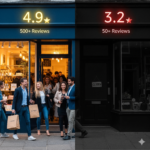
Beyond the Map Pack: Why Google Business Optimization is the New Secret Weapon for AI-Era Lead Generation
Google Business Profile optimization is the cornerstone of digital marketing for lawyers and service providers in 2026. This guide is specifically crafted for attorneys, law firms, and service-based businesses who want to ensure their visibility and lead generation in an AI-driven search landscape. As Google’s AI, Gemini, becomes the gatekeeper for local recommendations, optimizing your Google Business Profile (GBP) is no longer optional—it’s essential.
What is Google Business Profile optimization? Optimizing a Google Business Profile (GBP) requires keeping information accurate and engaging with customers. This means not only completing your profile but also actively managing reviews, updating content, and ensuring your business stands out in both Google Search and Google Maps.

Why Google Business Profile Optimization Matters in 2026
For over a decade at Business Solutions Marketing Group, I’ve told my clients that if you aren’t in the “Map Pack,” you don’t exist. But as we move deeper into 2026, the stakes have shifted. It’s no longer just about showing up on a map; it’s about becoming the “trusted entity” that Google’s AI, Gemini, recommends to a user in real-time.
Google Business Profile optimization should be a top priority for local businesses, especially as part of a comprehensive digital marketing strategy. Traditional SEO remains important, but GBP optimization is now essential for improving visibility in search engine results, tracking ROI by location, and attracting more clients. For local businesses, optimizing your Google Business Profile (GMB profile) is a key way to appear in the local pack and on Google properties like Google Search and Google Maps. This process involves aligning your profile information with your overall business model for accurate representation and using relevant keywords in your business description to improve visibility.
When setting up your profile, it’s crucial to select the right categories—don’t stuff keywords or use irrelevant categories, as keyword stuffing can harm your rankings. For example, a well-optimized profile for a law firm would include accurate categories, a compelling business description with relevant keywords, and a high-quality cover image to reinforce brand identity and visual appeal. Uploading photos and videos, especially a cover image, helps your business stand out to the Google user and increases engagement.
If your business has a physical storefront, you are considered a brick and mortar business and must verify your physical location, have proper signage, and ensure your address and zip codes are accurate. This is different from service area businesses, which may not have a public-facing location but still need to optimize for their service areas. For multi location businesses or multi location brands, managing many locations requires tailored strategies and consistency across all profiles, including accurate use of zip codes for each site.
Client reviews and managing reviews are critical for building credibility and improving local SEO. Accumulating more positive reviews than your competitors and actively managing user feedback not only boosts your reputation but also helps maintain accurate listings and improve your local ranking. Positive reviews and user feedback are key signals for Google’s algorithms. Make review management a core part of your reputation strategy.
Completing your profile is part of effective GBP optimization and ensures your GMB profile is fully leveraged. Technical SEO is also foundational, especially for businesses with many locations, to ensure your data is trusted and indexed by AI-driven engines. Understanding Google user behavior and optimizing your profile accordingly can increase engagement and drive more customer actions. Improving your conversion rate through persuasive content and strategic keyword placement can lead to more calls, clicks, and ultimately, more clients.
According to recent data, 64% of consumers now use Google Business Profiles to find contact information for local providers without ever visiting a website (Source: Forbes Advisor).
Next, let’s look at how to set up and optimize your Google Business Profile from the ground up to ensure you’re ready for AI-driven search.
Creating a Google Business Profile: The Essential First Step
A Google Business Profile (GBP) is a free tool that allows businesses to manage their presence on Google Search and Google Maps. If you want to boost your local search visibility and make sure your business appears in relevant searches, this is the essential first step in your local SEO strategy.
Getting started is simple. Visit google.com/business and sign in with your Google account. Enter your business name exactly as it appears on your website and legal documents—consistency is key for local ranking. Next, add your business location. If you serve clients at a physical address, enter it here; if you’re a service provider who travels to clients, you can define your service area instead.
Selecting the right category is crucial. For law firms, choose the most accurate primary category, such as “Personal Injury Attorney” or “Law Firm,” to help Google match your business to the right searches. You’ll then need to verify your business location, usually by receiving a postcard or phone call from Google with a verification code.
Once verified, complete your business profile with a compelling business description, accurate business hours, and up-to-date contact information, including your phone number and website URL. Upload high-quality photos and videos that showcase your team, office, or client success stories—these visuals help build trust and increase customer engagement.
Don’t forget: your business name, address, and phone number (NAP) should be identical across your website, social media, and all online directories. This consistency signals to Google that your business location and details are trustworthy, which is vital for local search and search engine optimization.
By creating and optimizing your Google Business Profile, you lay the groundwork for higher local ranking, more calls from new customers, and a stronger presence in local search results. For most businesses—especially law firms and service providers—this is the fastest way to get noticed by potential clients searching for your services right now.
With your profile set up, the next step is understanding how AI, like Gemini, uses your GBP as a data source to recommend your business to potential clients.
Gemini is Watching: Your Profile is an AI Data Source
When a potential client asks their phone, “Who is the best wrongful death attorney near me?” Gemini doesn’t just guess. It scans Google Business Profiles for specific “trust signals.” It looks at your “Review Velocity” (how fast you get new feedback), the keywords in your owner responses, and the “freshness” of your posted photos. User feedback, especially through reviews, is essential for building trust, maintaining accurate listings, and improving your local search rankings.
If your profile hasn’t been updated in three weeks, the AI assumes your business is stagnant. Our Google Business Optimization Pro program is designed to feed the AI exactly what it wants: constant, high-authority activity that proves you are the leader in your field. AI models also rely on technical SEO—structured, crawlable data ensures your profile is indexed correctly and supports AI-driven recommendations.
Now that you know how AI evaluates your profile, let’s explore how the “Zero-Click” search trend is changing the way clients interact with your business online.
The “Zero-Click” Reality for Service Providers
In 2026, the “Zero-Click” search is the norm. This is when a user gets all the info they need—your phone number, your five-star rating, and your service area—directly from the Google interface.
For lawyers, this is huge. If a client can see a video testimonial or a “Knowledge Panel” that answers their immediate legal question, they are going to hit that “Call” button immediately. You don’t just want a listing; you want a high-converting digital storefront. Optimizing your Google Business Profile to improve your conversion rate is essential for turning profile views into actions and attracting more clients. A compelling cover image also plays a key role in building visual trust and credibility with potential clients.
To maximize your results, let’s break down the most effective strategies for reviews, engagement, and visual optimization.
Review & Engagement Strategies
- Reviews are the New Currency: 73% of consumers only trust reviews from the last 30 days. Consistent, fresh feedback is mandatory.
- More Positive Reviews & Review Management: Accumulating more positive reviews and actively managing reviews by responding to customer feedback significantly improves your chances of appearing in the local pack and boosts your local search rankings.
- Engagement Wins: Profiles that respond to every review (positive and negative) see 1.7x more trust from potential clients.
Visual & AI Optimization
- AI Recommendations: Google Business Optimization is the #1 way to ensure Gemini recommends your firm over the competitor down the street.
- Visual Trust: High-quality photos and videos on your profile increase requests for directions by 42%.
With these strategies in mind, let’s address the most common questions about Google Business Optimization to help you fine-tune your approach.
10 Common Questions & Answers about Google Business Optimization
Profile Impact & Posting
- Does an optimized profile help my organic SEO?
Yes! A strong GBP presence signals to Google that your website is also an authority. - How often should I post updates to my profile?
At least 2–3 times a week to keep the “freshness” signal high for AI models. - Why did my ranking drop suddenly?
It’s often due to “Review Velocity” or a competitor being more active in their profile updates.
Ranking & Reviews
- Can I hide my address if I’m a service provider?
Yes, but you must define your “Service Area” clearly so Google knows where to show you. - What is the “Map Pack”?
The top 3 local results on a Google Search page. 44% of people click here first. - Does Gemini use my profile photos?
Absolutely. AI analyzes image content to verify you actually provide the services you claim.
Attributes & Tracking ROI
- Is the “Pro” program better than doing it myself?
Consistency is the hardest part of GBP management. We handle the daily grind so you can handle your clients. - How do I handle a fake negative review?
We help you flag them for removal and, more importantly, “drown” them out with new, positive feedback. - What are “Attributes”?
These are tags like “Veteran-owned” or “Online appointments” that help filter your business to the right customers. Detailed attributes and services should be included in the GBP to improve search visibility and relevance. - Can you give an example of a well-optimized Google Business Profile?
Yes! For example, a local law firm might fully complete every section of their profile, including accurate business hours, detailed service descriptions, and high-quality photos. They regularly post updates, respond to all reviews, and create service area landing pages for each location. This approach helps maximize local search visibility and user engagement. - How can I track ROI by location?
You can track ROI by using unique local phone numbers and addresses for each business location. This allows you to measure which locations are generating the most leads or calls, helping you optimize your marketing efforts for each area. - Why are zip codes important for Google Business Profile optimization?
Zip codes are crucial for location targeting and verifying multiple business locations. They also let you preview search results in specific geographic areas, ensuring your business appears in the right local searches and improving your local SEO.
How do I get started?
You can view our full program details here: Google Business Optimization Pro.
Google Business Profile Optimization Checklist
Use this checklist to ensure your Google Business Profile is fully optimized for AI-driven search and maximum lead generation:
- Complete all profile sections: Fill out every field, including business name, address, phone number, hours, website, and business description.
- Use relevant keywords: Incorporate keywords that reflect your services and specialties in your business description and service listings.
- Upload high-quality photos: Add professional images of your office, team, and services to build trust and increase engagement.
- Gather and respond to reviews: Encourage satisfied clients to leave reviews and respond promptly to all feedback, both positive and negative.
- Regularly update your profile: Post updates, new photos, and service changes at least 2–3 times per week to keep your profile fresh and relevant.
By following this checklist, you’ll ensure your Google Business Profile is not only complete and accurate but also actively engaging and optimized for AI-driven recommendations in 2026.
GBP LInk – https://g.co/kgs/GR8yH4a
LinkedIn – https://www.linkedin.com/company/business-solutions-marketing-group-llc/?viewAsMember=true
Instagram – https://www.instagram.com/business_solutions_mg/
Twitter – https://x.com/BSMGLLC
Facebook – https://www.facebook.com/BusinessSolutionsMarketingGroup
BlueSky: https://bsky.app/profile/bussolutions.bsky.social
TikTok – https://www.tiktok.com/@linda_donnelly
YouTube – https://www.youtube.com/channel/UC4w357-txvxOaHff2hTfSSg